What Siri AI Can Do Across Apps in Six Languages
Six supported languages, conversational requests, personal context, cross-app actions, privacy, compatibility, and regional limits.
Direct Answer
Siri AI can make everyday tasks easier by drafting messages, finding personal information, editing photos, and carrying out supported actions across apps. However, convenience should not mean giving an assistant unrestricted control over personal information or external actions.
As Siri AI languages expand, more users can interact with Apple’s assistant in their preferred supported language. The important question is not only what Siri AI can do, but also how users can check its work before anything important happens.
A simple approval process helps keep automation useful without sacrificing accuracy, privacy, or control.

Why Cross-App Actions Need Human Review
An assistant that works across apps can save time, especially when a task involves several steps. It may prepare an email, locate relevant information, or help organize a group of photos.
However, a generated result can still contain mistakes. A message might include the wrong date, a photo selection might contain unrelated images, or an email draft might not communicate the intended meaning.
Users should therefore distinguish between asking Siri AI to prepare something and allowing it to complete an action.
This distinction becomes especially important as Siri AI languages become available to more people. A language-supported assistant may make interaction easier, but it does not remove the need to check the result.
Use Three Approval Levels for Siri AI Tasks
A practical way to manage cross-app actions is to assign each task an approval level based on its possible consequences.
Level 1: Generate a Draft
The first level covers tasks that produce information without sending or sharing anything.
Examples include:
- Drafting an email or message
- Summarizing information visible on the screen
- Suggesting an edit to a photo
- Preparing wording for a response
Review the generated result before using it. Check names, dates, tone, and factual details. If something is incorrect, revise the request or make the change yourself.
Level 2: Preview the Selected Content
The second level applies when Siri AI works with personal material, including photos, messages, and files.
Before continuing, inspect the items selected for the task. A broad request may produce a result that includes an old attachment, an unrelated conversation, or a photo that was not intended for sharing.
A preview helps users catch these mistakes before they affect another person or application.
Level 3: Confirm Before Sending or Sharing
External actions deserve the highest level of attention.
Before sending a message, sharing a file, or changing stored information, check the final details:
- Is the recipient correct?
- Are the selected attachments appropriate?
- Does the message say what you intended?
- Are the dates and other important details accurate?
If the assistant does not provide a clear opportunity to inspect the final action, completing the task manually is a safer option.
Keep a Way to Recover From Mistakes
Approval is only one part of responsible automation. Users should also understand how to reverse changes when an application supports it.
Depending on the task, that may mean recovering a draft, undoing an edit, revoking a shared link, or changing an app permission.
A useful workflow makes mistakes visible before they become difficult to correct. It also gives users a clear way to respond when an automated action produces an unexpected result.
Which Siri AI Languages Are Available?
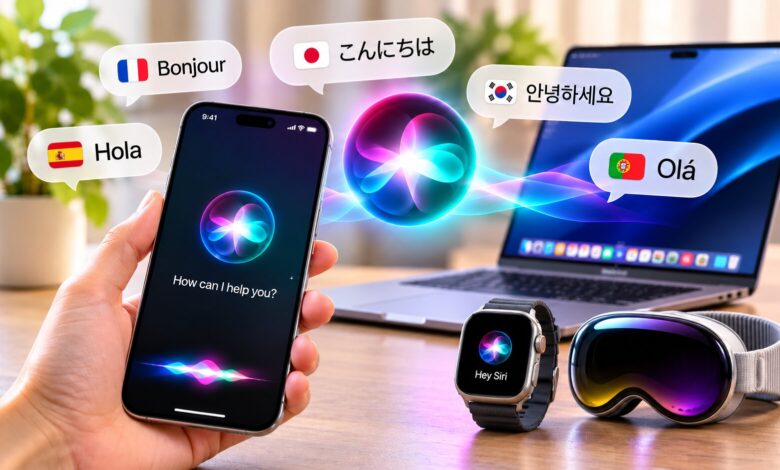
According to Apple’s official announcement, Siri AI currently supports six languages in its beta release.
- English
- French
- Japanese
- Korean
- Portuguese
- Spanish
Apple added French, Japanese, Korean, Portuguese, and Spanish with its 27.2 software update on October 26, 2026.
The company has also announced plans for Traditional Chinese, Norwegian, Turkish, and Vietnamese by the end of 2026. Filipino is not included in the announced list.
It is important to distinguish Siri AI from Apple Intelligence as a whole. Some Apple Intelligence features support additional languages, but that does not mean every Siri AI capability works in every supported language.
What Else Can Siri AI Do?
Cross-app actions are only one part of the updated assistant’s capabilities.
Handle More Natural Conversations
Siri AI is designed to understand conversational requests and follow-up questions. Users can clarify or refine what they want without treating every instruction as an entirely separate interaction.
For important information involving travel, finances, or safety, check consequential answers against reliable sources.
Find Details in Personal Content
Supported features can help locate information across personal messages, emails, and photos. Access depends on the feature, application integration, and privacy settings.
Users should make sure the information returned is relevant to the original request.
Work With Apps and Photos
The assistant can draft emails, edit or share photos, and perform other supported actions across apps. The available tasks vary by device, software version, language, and application.
Review the proposed result before allowing an action to proceed.
Understand What’s on the Screen
On supported devices and software, Siri AI can respond to questions about visible content or help users take actions related to it. Availability depends on the particular device and context.
How to Check Whether Your Device Supports Siri AI
Access requires compatible hardware and software, along with matching language settings.
- Update your compatible Apple device to the required software version.
- Set the device language and Siri language to the same supported language.
- Open Siri settings and check whether the beta option is available.
- Complete the voice setup and review the relevant privacy permissions.
Supported hardware includes iPhone 15 Pro and later, iPhone 16 models and later, iPhone Duo, iPhone Air, iPad mini with A17 Pro, iPads with M1 or later, Macs with M1 or later, MacBook Neo, and Apple Vision Pro. Apple Watch requires a paired iPhone with Siri AI enabled.
Regional restrictions also apply. The beta is unavailable on iOS, iPadOS, and watchOS in the European Union, although macOS 27 and visionOS 27 are supported there. It is also unavailable to users under 13 and for Apple Accounts set to mainland China.
Some users may encounter a waitlist.
For the latest requirements and setup instructions, consult Apple Support’s guide to Siri AI.
How Apple Describes Siri AI Privacy
Apple says requests are processed on-device when possible, while more complex requests can use Private Cloud Compute.
According to Apple, Private Cloud Compute is designed to process requests without retaining the data and to prevent Apple or other parties from accessing it. Users should still review individual app permissions and consider what information a request actually needs.
Responsible use of Siri AI languages involves more than choosing a preferred language. It also means understanding what personal information a feature can access and checking whether the returned result is appropriate.
Frequently Asked Questions
Which languages does Siri AI currently support?
The beta supports English, French, Japanese, Korean, Portuguese, and Spanish.
Is Filipino supported?
No. Filipino is not on Apple’s announced list of upcoming Siri AI languages.
Does Siri AI require a newer Apple device?
Yes. The beta requires compatible hardware and software. Some older devices may not support the full feature set.
Can Siri AI work on Mac and iPad?
Yes, on compatible devices with supported software, language settings, and regional availability.
Is there a separate Siri AI subscription?
Apple has not announced a separate subscription charge for the built-in beta. Device requirements and potential limits on some server-side features still apply.
Is Siri AI available in the European Union?
Availability is restricted on iOS, iPadOS, and watchOS in the EU. macOS 27 and visionOS 27 are supported there.
Can children use Siri AI?
Families should review device permissions, content settings, and generated answers together. Apple also restricts availability for users under 13.
Final Thoughts
Siri AI can reduce the effort involved in everyday tasks, but useful automation should not remove human judgment. Drafting, selecting, sending, and sharing information are different levels of action, and each deserves an appropriate review.
As Siri AI languages expand, more people may be able to use these features in their preferred language. The best experience will still depend on compatible devices, regional access, sensible privacy settings, and a habit of checking important actions before approving them.
Related reading: Apple Notes AI features; local and cloud AI data handling.