Live Rewind Audio Intelligence: What Apple Users Should Know
Apple's Live Rewind feature uses Audio Intelligence to help Apple Watch users recover missed words from the last few seconds of conversation.

Direct Answer
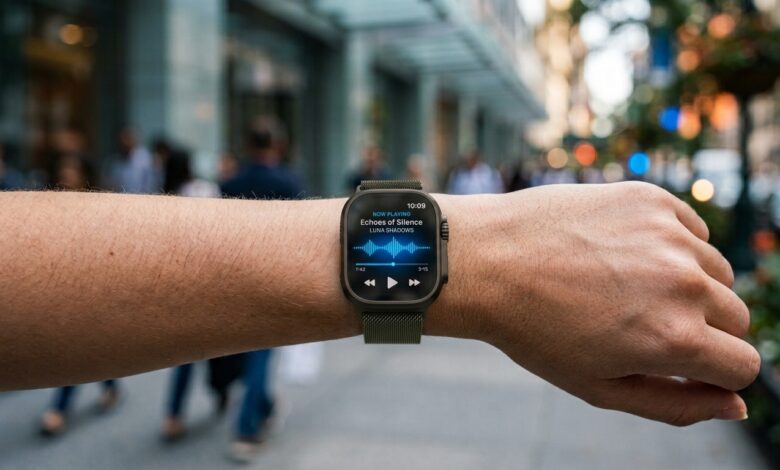
Apple Watch’s Live Rewind Audio Intelligence provides wearers with an immediate back-track tool for missed spoken dialogue. By executing a swift Digital Crown double-tap, the device renders a concise text readout of the prior 15 seconds, helping users keep pace during workplace meetings, daily errands, and loud environments.
The privacy question is central because speech tools can make people uneasy. Apple positions the feature as a short rewind, not a background recording archive.
Privacy Expectations Come First
Users should understand the difference between a local, recent text snippet and a stored audio recording. That difference shapes whether the feature feels helpful or intrusive.
That is why Live Rewind Audio Intelligence belongs in the practical-AI category. It is not flashy; it is useful at the exact second attention slips.
Key Takeaways
- Purpose-engineered to retrieve recent spoken snippets that slipped past the listener.
- Deeply embedded within the watchOS Audio Intelligence framework.
- Activated on demand via a simple Digital Crown double-press.
- Captures a narrow rolling buffer spanning roughly the last 15 seconds.
- Converts captured voice into a short, easy-to-read text line on the display.
- Enhances communication in busy offices, transit zones, classrooms, and social spots.
- Delivers best results when triggered immediately after a listening gap occurs.
- Operates strictly as a quick recovery assist rather than a long-form audio recorder.
- Calls for ongoing mindfulness around ambient privacy norms and interpersonal consent.
- Functions most effectively as a real-time conversational backup.
How the Feature Works
The missed-speech moment
The feature targets a universal human struggle: someone speaks, the user catches only a fragment, and the conversation moves forward before there is a natural opening to ask for clarification.
The shortcut interaction
Triggering the feature with a double-click on the Digital Crown keeps physical interaction brief. The user scans the text snippet and swiftly reconnects with the ongoing conversation.
The text result
Instead of outputting heavy, long-form transcripts, the system displays a concise text segment—making Live Rewind Audio Intelligence intuitive to read and straightforward to rely on.
Why the Feature Should Stay Narrow
A tightly scoped utility naturally earns user confidence. It successfully resolves the problem of missed words without making unrealistic promises about full-scale meeting transcription.
The mechanism shines when it remains unobtrusive: the watch offers immediate context and seamlessly steps aside.
Where It Helps Most
Work conversations
A missed phrase in a professional setting might involve an upcoming deadline, physical address, financial quote, client name, or critical step. A quick 15-second rewind prevents small misunderstandings from spiraling into workflow issues.
Public noise
Restaurants, retail shops, transit hubs, and outdoor gatherings routinely create noisy listening environments. Live Rewind provides a dependable safety net whenever ambient sound drowns out an important comment.
Learning environments
In a classroom, lecture, or training workshop, a student might lose track of a core definition or subject transition. Live Rewind Audio Intelligence recovers that moment on the spot without disrupting the session.
For people who occasionally struggle to catch every word in a conversation, having a quick way to review recent speech could also make the Apple Watch more useful as an accessibility tool.
Source: Information and compatibility details are based on Apple’s official Audio Intelligence support documentation.
What It Is Not
This tool should never be treated as a hidden wiretap, a permanent voice archive, or a full-scale note-taking service. It is designed exclusively as a brief assist for live discussions you are actively participating in.
Keeping this scope limited is an advantage. It maintains realistic user expectations and distinguishes everyday wearable convenience from dedicated recording hardware.
Privacy and Social Etiquette
Know the setting
Microphone-enabled capabilities can raise sensitive questions. Wearers should remain aware of their environment and stay mindful of local regulations alongside basic courtesy.
Use it as assistance
The proper use case is straightforward: catch up on missed words during a live conversation you are part of. It shouldn’t be leveraged to bypass interpersonal consent.
Quick Use Checklist
- Spot the missed phrase the moment it happens.
- Execute the Digital Crown shortcut immediately.
- Skim the brief text readout on screen.
- Pivot your attention straight back to the speaker.
- Switch to a dedicated recording application when full transcripts are required.
- Confirm device and software eligibility prior to relying on the feature.
Frequently Asked Questions
How far back does Live Rewind go?
It operates within a short 15-second rolling window, so immediate action is key.
Does it save a full recording?
No. Live Rewind Audio Intelligence yields temporary text snippets rather than preserving permanent audio recordings.
Why put this on Apple Watch?
Because the watch is right on your wrist during face-to-face interactions, tapping its crown is far quicker than retrieving a phone.
Bottom Line
Live Rewind Audio Intelligence delivers genuine value by addressing a small, everyday problem. When spoken words slip past, Apple Watch provides a swift recovery option so you can remain present in the moment.